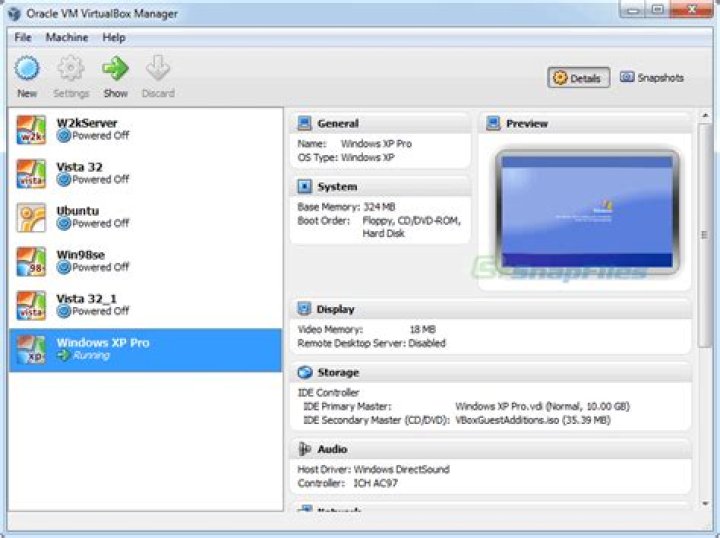
In the VM settings, the case VT-x / AMD-V is grey and I can't check it. Why ?
- I have a Windows 10 pro host (updated)
- I use Vbox 6.1 (the latest)
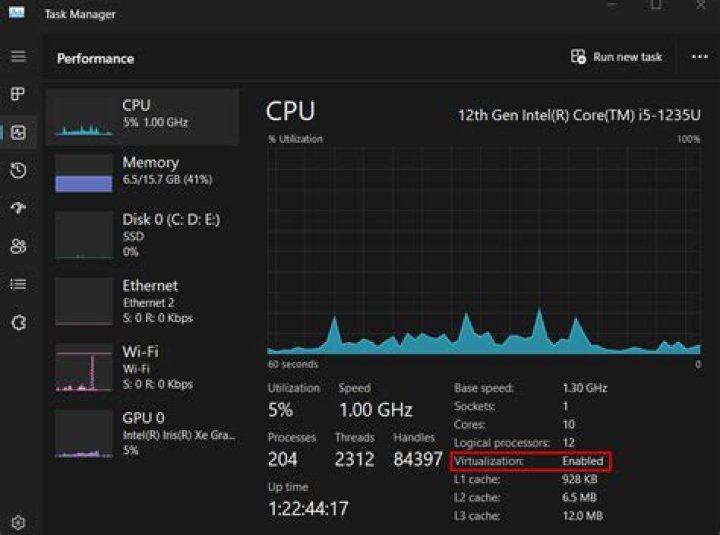
SVM modeis enabled in my BIOS settings- Windows task manager says virtualization is enabled in the
performancestab AMD-V/Hyper-V Compatibility Checkersaysthis machine is compatible with hyper-v- In the windows features (
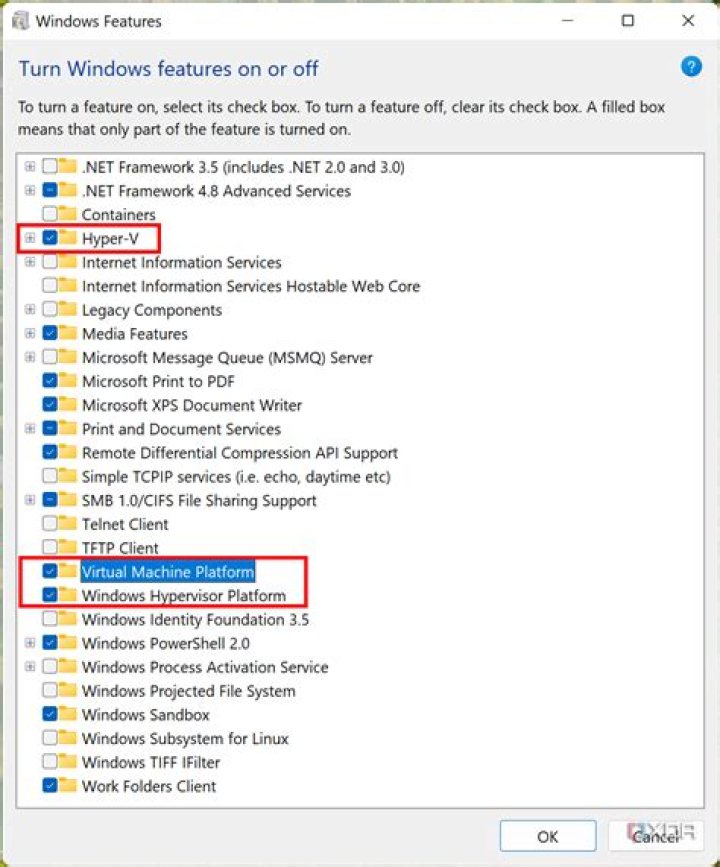
enable or disable windows features...),hyper-vis disabled,containersis disabled,guarded hostis disabled - In the Windows defender settings, the core and memory isolation is disabled.
- I rebooted many times
Any idea ?
[EDIT 26/05/2020]
I forgot to say :
- I have a ryzen 5 3600x
- My motherboard is a MSI B450M PRO M2 MAX
[EDIT 2 26/05/2020]
In order to answer essjae comment :
I haven't got any 3rd party antivirus. I just use Windows defender.
When I run systeminfo, I get the message Hyper-V Requirements: A hypervisor has been detected. Features required for Hyper-V will not be displayed.. Considering this link, it would mean Hyper-v is already running. But I don't understand why, because when I go in Enable or disable Windows features, Hyper-v is unchecked ! (I rebooted many times).
Also, here is the output of coreinfo.exe (link)
> .\Coreinfo.exe Coreinfo v3.5 - Dump information on system CPU and memory topology Copyright (C) 2008-2020 Mark Russinovich Sysinternals - AMD Ryzen 5 3600 6-Core Processor AMD64 Family 23 Model 113 Stepping 0, AuthenticAMD Microcode signature: 00000000 HTT * Multicore HYPERVISOR * Hypervisor is present VMX - Supports Intel hardware-assisted virtualization SVM - Supports AMD hardware-assisted virtualization X64 * Supports 64-bit mode SMX - Supports Intel trusted execution SKINIT - Supports AMD SKINIT NX * Supports no-execute page protection SMEP * Supports Supervisor Mode Execution Prevention SMAP * Supports Supervisor Mode Access Prevention PAGE1GB * Supports 1 GB large pages PAE * Supports > 32-bit physical addresses PAT * Supports Page Attribute Table PSE * Supports 4 MB pages PSE36 * Supports > 32-bit address 4 MB pages PGE * Supports global bit in page tables SS - Supports bus snooping for cache operations VME * Supports Virtual-8086 mode RDWRFSGSBASE * Supports direct GS/FS base access FPU * Implements i387 floating point instructions MMX * Supports MMX instruction set MMXEXT * Implements AMD MMX extensions 3DNOW - Supports 3DNow! instructions 3DNOWEXT - Supports 3DNow! extension instructions SSE * Supports Streaming SIMD Extensions SSE2 * Supports Streaming SIMD Extensions 2 SSE3 * Supports Streaming SIMD Extensions 3 SSSE3 * Supports Supplemental SIMD Extensions 3 SSE4a * Supports Streaming SIMDR Extensions 4a SSE4.1 * Supports Streaming SIMD Extensions 4.1 SSE4.2 * Supports Streaming SIMD Extensions 4.2 AES * Supports AES extensions AVX * Supports AVX instruction extensions FMA * Supports FMA extensions using YMM state MSR * Implements RDMSR/WRMSR instructions MTRR * Supports Memory Type Range Registers XSAVE * Supports XSAVE/XRSTOR instructions OSXSAVE * Supports XSETBV/XGETBV instructions RDRAND * Supports RDRAND instruction RDSEED * Supports RDSEED instruction CMOV * Supports CMOVcc instruction CLFSH * Supports CLFLUSH instruction CX8 * Supports compare and exchange 8-byte instructions CX16 * Supports CMPXCHG16B instruction BMI1 * Supports bit manipulation extensions 1 BMI2 * Supports bit manipulation extensions 2 ADX * Supports ADCX/ADOX instructions DCA - Supports prefetch from memory-mapped device F16C * Supports half-precision instruction FXSR * Supports FXSAVE/FXSTOR instructions FFXSR * Supports optimized FXSAVE/FSRSTOR instruction MONITOR - Supports MONITOR and MWAIT instructions MOVBE * Supports MOVBE instruction ERMSB - Supports Enhanced REP MOVSB/STOSB PCLMULDQ * Supports PCLMULDQ instruction POPCNT * Supports POPCNT instruction LZCNT * Supports LZCNT instruction SEP * Supports fast system call instructions LAHF-SAHF * Supports LAHF/SAHF instructions in 64-bit mode HLE - Supports Hardware Lock Elision instructions RTM - Supports Restricted Transactional Memory instructions DE * Supports I/O breakpoints including CR4.DE DTES64 - Can write history of 64-bit branch addresses DS - Implements memory-resident debug buffer DS-CPL - Supports Debug Store feature with CPL PCID - Supports PCIDs and settable CR4.PCIDE INVPCID - Supports INVPCID instruction PDCM - Supports Performance Capabilities MSR RDTSCP * Supports RDTSCP instruction TSC * Supports RDTSC instruction TSC-DEADLINE - Local APIC supports one-shot deadline timer TSC-INVARIANT * TSC runs at constant rate xTPR - Supports disabling task priority messages EIST - Supports Enhanced Intel Speedstep ACPI - Implements MSR for power management TM - Implements thermal monitor circuitry TM2 - Implements Thermal Monitor 2 control APIC * Implements software-accessible local APIC x2APIC - Supports x2APIC CNXT-ID - L1 data cache mode adaptive or BIOS MCE * Supports Machine Check, INT18 and CR4.MCE MCA * Implements Machine Check Architecture PBE - Supports use of FERR#/PBE# pin PSN - Implements 96-bit processor serial number PREFETCHW * Supports PREFETCHW instruction Maximum implemented CPUID leaves: 0000000D (Basic), 8000001E (Extended). Maximum implemented address width: 48 bits (virtual), 48 bits (physical). Processor signature: 00870F10 Logical to Physical Processor Map: **---------- Physical Processor 0 (Hyperthreaded) --**-------- Physical Processor 1 (Hyperthreaded) ----**------ Physical Processor 2 (Hyperthreaded) ------**---- Physical Processor 3 (Hyperthreaded) --------**-- Physical Processor 4 (Hyperthreaded) ----------** Physical Processor 5 (Hyperthreaded) Logical Processor to Socket Map: ************ Socket 0 Logical Processor to NUMA Node Map: ************ NUMA Node 0 No NUMA nodes. Logical Processor to Cache Map: **---------- Data Cache 0, Level 1, 32 KB, Assoc 8, LineSize 64 **---------- Instruction Cache 0, Level 1, 32 KB, Assoc 8, LineSize 64 **---------- Unified Cache 0, Level 2, 512 KB, Assoc 8, LineSize 64 ******------ Unified Cache 1, Level 3, 16 MB, Assoc 16, LineSize 64 --**-------- Data Cache 1, Level 1, 32 KB, Assoc 8, LineSize 64 --**-------- Instruction Cache 1, Level 1, 32 KB, Assoc 8, LineSize 64 --**-------- Unified Cache 2, Level 2, 512 KB, Assoc 8, LineSize 64 ----**------ Data Cache 2, Level 1, 32 KB, Assoc 8, LineSize 64 ----**------ Instruction Cache 2, Level 1, 32 KB, Assoc 8, LineSize 64 ----**------ Unified Cache 3, Level 2, 512 KB, Assoc 8, LineSize 64 ------**---- Data Cache 3, Level 1, 32 KB, Assoc 8, LineSize 64 ------**---- Instruction Cache 3, Level 1, 32 KB, Assoc 8, LineSize 64 ------**---- Unified Cache 4, Level 2, 512 KB, Assoc 8, LineSize 64 ------****** Unified Cache 5, Level 3, 16 MB, Assoc 16, LineSize 64 --------**-- Data Cache 4, Level 1, 32 KB, Assoc 8, LineSize 64 --------**-- Instruction Cache 4, Level 1, 32 KB, Assoc 8, LineSize 64 --------**-- Unified Cache 6, Level 2, 512 KB, Assoc 8, LineSize 64 ----------** Data Cache 5, Level 1, 32 KB, Assoc 8, LineSize 64 ----------** Instruction Cache 5, Level 1, 32 KB, Assoc 8, LineSize 64 ----------** Unified Cache 7, Level 2, 512 KB, Assoc 8, LineSize 64 Logical Processor to Group Map: ************ Group 0 [EDIT 3 26/05/2020]
As Ramhound asked in the comments section, here is a screenshot of the option I can't check.
Here is a picture of the SVM mode in my BIOS. Sorry for the bad quality.
I haven't got Github Desktop. I just use git bash.
You can find below a screenshot of my tasks manager.
Here is a screenshot of the windows features.
[EDIT 4 26/05/2020]
Here is the result of Get-WindowsOptionalFeature -Online -FeatureName *Hyper-V* :
> Get-WindowsOptionalFeature -Online -FeatureName *Hyper-V* FeatureName : Microsoft-Hyper-V-All DisplayName : Hyper-V Description : Provides services and management tools for creating and running virtual machines and their resources. RestartRequired : Possible State : Disabled CustomProperties : FeatureName : Microsoft-Hyper-V DisplayName : Hyper-V Platform Description : Provides the services that you can use to create and manage virtual machines and their resources. RestartRequired : Possible State : Disabled CustomProperties : FeatureName : Microsoft-Hyper-V-Tools-All DisplayName : Hyper-V Management Tools Description : Includes GUI and command-line tools for managing Hyper-V. RestartRequired : Possible State : Disabled CustomProperties : FeatureName : Microsoft-Hyper-V-Management-PowerShell DisplayName : Hyper-V Module for Windows PowerShell Description : Includes Windows PowerShell cmdlets for managing Hyper-V. RestartRequired : Possible State : Disabled CustomProperties : FeatureName : Microsoft-Hyper-V-Hypervisor DisplayName : Hyper-V Hypervisor Description : Provides the Hyper-V Hypervisor. RestartRequired : Possible State : Disabled CustomProperties : FeatureName : Microsoft-Hyper-V-Services DisplayName : Hyper-V Services Description : Provides the services that you can use to create and manage virtual machines and their resources. RestartRequired : Possible State : Disabled CustomProperties : FeatureName : Microsoft-Hyper-V-Management-Clients DisplayName : Hyper-V GUI Management Tools Description : Includes the Hyper-V Manager snap-in and Virtual Machine Connection tool. RestartRequired : Possible State : Disabled CustomProperties : Here is the result of @(Get-Wmiobject Win32_ComputerSystem).HypervisorPresent :
> @(Get-Wmiobject Win32_ComputerSystem).HypervisorPresent True [EDIT 5 30/05/2020]
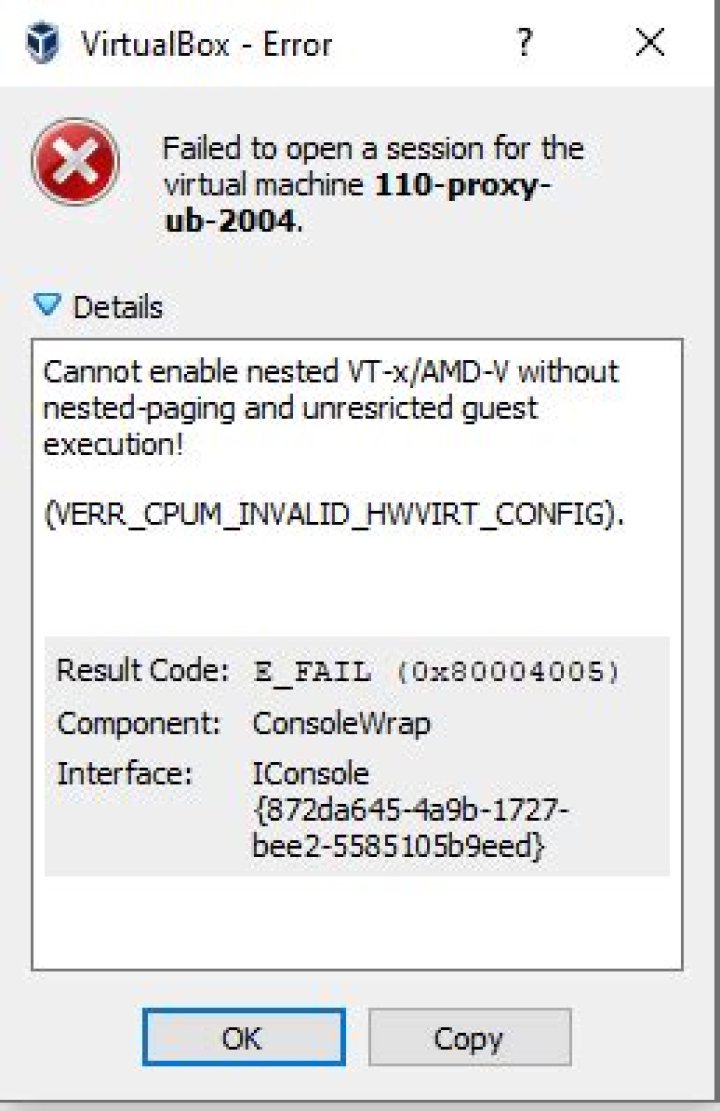
I tried to enable hw virt manually with the command .\VBoxManage.exe modifyvm "110-proxy-ub-2004" --nested-hw-virt on, but I get this error when I try to start the VM :
I'm still looking for a solution.
01 Answer
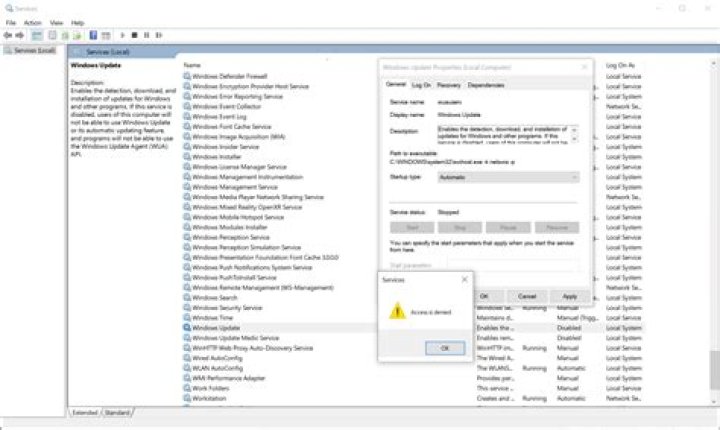
I finally found the answer. Even if Hyper-v was disabled in the Windows features, the service named HV Host Service was still running. I disabled all the Hyper-v services and now the option VT-x / AMD-V in the Vbox VM setting isn't grayed out anymore and my VM boots when I enable the option.