Every now and then in Windows 10 it keeps grabbing my screen with an OSD telling me about updates with a button that takes me to the update menu in Settings. It's very annoying at times, especially whenever I have an app in full-screen it takes me away from it just to tell me about updates.
I want to disable this screen grabbing OSD notification because it's too obtrusive and simply outright annoying. Would prefer if I can just have it notify me in small popup balloon notification instead so it can be viewed in Message Centre.
I'm fine with some registry tweaks or whatever, either that or just disable update notifications completely. I currently only have it to notify of updates, but not download and install them whenever it chooses.
04 Answers
windows_update_notification_only_toggle.bat
Notification-only subset to block just the annoying notifications and reboot tasks, leaving update function enabled and working.
To undo changes and resume windows update notification, simply run the script again.
windows_update_notification_only_toggle.bat
goto="init" /* %~nx0 :: Batch designed for Windows 10 - compatible with Windows 7 :: v7 final: Disable Update Notification-only with working Windows Update, Store and Defender protection updates ::---------------------------------------------------------------------------------------------------------------------------------- :about ::---------------------------------------------------------------------------------------------------------------------------------- call :check_status if "%STATUS%"=="DISABLED" ( color 0c ) else color 0b echo. echo --------------------------------------------------------------------- echo : Windows Update Notification-only Toggle v7.0 : echo :---------------------------------------------------------------------: echo : Just run this script again to enable or disable : echo : : echo : Update Notification currently %STATUS% : echo : : echo : Press Alt+F4 to cancel Always run latest version : echo --------------------------------------------------------------------- echo A subset of windows_update_toggle.bat echo. exit/b ::---------------------------------------------------------------------------------------------------------------------------------- :main [ Batch main function ] ::---------------------------------------------------------------------------------------------------------------------------------- set "exe=" & title Windows Update Notification Toggle & color 07 & call :about 0b & timeout /t 10 :: notification blocking set "exe=%exe% MusNotification MusNotifyIcon" || Tasks\Microsoft\Windows\UpdateOrchestrator ESSENTIAL! set "exe=%exe% UpdateNotificationMgr UNPUXLauncher UNPUXHost" || Tasks\Microsoft\Windows\UNP set "exe=%exe% Windows10UpgraderApp DWTRIG20 DW20 GWX" || Windows10Upgrade :: error reporting blocking set "exe=%exe% wermgr WerFault WerFaultSecure DWWIN" || Tasks\Microsoft\Windows\Windows Error Reporting :: diag - optional blocking of diagnostics / telemetry rem set "exe=%exe% compattelrunner" || Tasks\Microsoft\Windows\Application Experience rem set "exe=%exe% dstokenclean appidtel" || Tasks\Microsoft\Windows\ApplicationData rem set "exe=%exe% wsqmcons" || Tasks\Microsoft\Windows\Customer Experience Improvement Prg rem set "exe=%exe% dusmtask" || Tasks\Microsoft\Windows\DUSM rem set "exe=%exe% dmclient" || Tasks\Microsoft\Windows\Feedback\Siuf rem set "exe=%exe% DataUsageLiveTileTask" || Tasks\{SID}\DataSenseLiveTileTask rem set "exe=%exe% DiagnosticsHub.StandardCollector.Service" || System32\DiagSvcs rem set "exe=%exe% HxTsr" || WindowsApps\microsoft.windowscommunicationsapps :: other - optional blocking of other tools rem set "exe=%exe% PilotshubApp" || Program Files\WindowsApps\Microsoft.WindowsFeedbackHub_ rem set "exe=%exe% SpeechModelDownload SpeechRuntime" || Tasks\Microsoft\Windows\Speech Recommended rem set "exe=%exe% LocationNotificationWindows WindowsActionDialog" || Tasks\Microsoft\Windows\Location rem set "exe=%exe% DFDWiz disksnapshot" || Tasks\Microsoft\Windows\DiskFootprint ::---------------------------------------------------------------------------------------------------------------------------------- :: all_entries - used to cleanup orphaned / commented entries between script versions set e1=TiWorker UsoClient wuauclt wusa WaaSMedic SIHClient WindowsUpdateBox GetCurrentRollback WinREBootApp64 WinREBootApp32 set e2=MusNotification MusNotifyIcon UpdateNotificationMgr UNPUXLauncher UNPUXHost Windows10UpgraderApp DWTRIG20 DW20 GWX wuapihost set e3=wermgr WerFault WerFaultSecure DWWIN compattelrunner dstokenclean appidtel wsqmcons dusmtask dmclient DataUsageLiveTileTask set e4=DiagnosticsHub.StandardCollector.Service HxTsr PilotshubApp SpeechModelDownload SpeechRuntime LocationNotificationWindows set e5=WindowsActionDialog DFDWiz disksnapshot TrustedInstaller set old_entries=RAServer ClipUp Dism ShellServiceHost backgroundTaskHost set all_entries=%e1% %e2% %e3% %e4% %e5% :: Cleanup orphaned / commented items between script versions echo. for %%C in (%old_entries%) do call :cleanup_orphaned %%C silent for %%C in (%all_entries%) do call :cleanup_orphaned %%C echo. :: Toggle execution via IFEO set/a "bl=0" & set/a "unbl=0" & set "REGISTRY_MISMATCH=echo [REGISTRY MISMATCH CORRECTED] & echo." for %%a in (%exe%) do call :ToggleExecution "%ifeo%\%%a.exe" if %bl% gtr 0 if %unbl% gtr 0 %REGISTRY_MISMATCH% & for %%a in (%exe%) do call :ToggleExecution "%ifeo%\%%a.exe" forced echo. :: Done! echo --------------------------------------------------------------------- if "%STATUS%"=="DISABLED" ( color 0b &echo Update Notification now ENABLED! ) else color 0c &echo Update Notification now DISABLED echo --------------------------------------------------------------------- echo. pause exit ::---------------------------------------------------------------------------------------------------------------------------------- :: Utility functions ::---------------------------------------------------------------------------------------------------------------------------------- :check_status set "ifeo=HKLM\Software\Microsoft\Windows NT\CurrentVersion\Image File Execution Options" & set "OK=" reg query "%ifeo%\MusNotification.exe" /v Debugger 1>nul 2>nul && set "STATUS=DISABLED" || set "STATUS=ENABLED!" exit/b :cleanup_orphaned %1:[entry to check, used internally] %2:[anytext=silent] call set "orphaned=%%exe:%1=%%" & set "okey="%ifeo%\%1.exe"" if /i "%orphaned%"=="%exe%" reg delete %okey% /v "Debugger" /f >nul 2>nul & if /i ".%2"=="." echo %1 not selected.. exit/b :ToggleExecution %1:[regpath] %2:[optional "forced"] set "dummy=%windir%\System32\systray.exe" & rem allow dummy process creation to limit errors if "%STATUS%_%2"=="DISABLED_forced" reg delete "%~1" /v "Debugger" /f >nul 2>nul & exit/b if "%STATUS%_%2"=="ENABLED!_forced" reg add "%~1" /v Debugger /d "%dummy%" /f >nul 2>nul & exit/b reg query "%~1" /v Debugger 1>nul 2>nul && set "isBlocked=1" || set "isBlocked=" if defined isBlocked reg delete "%~1" /v "Debugger" /f >nul 2>nul & set/a "unbl+=1" & echo %~n1 un-blocked! & exit/b reg add "%~1" /v Debugger /d "%dummy%" /f >nul 2>nul & set/a "bl+=1" & echo %~n1 blocked! & taskkill /IM %~n1 /t /f >nul 2>nul exit/b ::---------------------------------------------------------------------------------------------------------------------------------- :"init" [ Batch entry function ] ::---------------------------------------------------------------------------------------------------------------------------------- @echo off & cls & setlocal & if "%1"=="init" shift &shift & goto :main &rem Admin self-restart flag found, jump to main reg query "HKEY_USERS\S-1-5-20\Environment" /v temp 1>nul 2>nul && goto :main || call :about 0c & echo Requesting admin rights.. call cscript /nologo /e:JScript "%~f0" get_rights "%1" & exit ::---------------------------------------------------------------------------------------------------------------------------------- */ // [ JScript functions ] all batch lines above are treated as a /* js comment */ in cscript function get_rights(fn) { var console_init_shift='/c start "init" "'+fn+'"'+' init '+fn+' '+WSH.Arguments(1); WSH.CreateObject("Shell.Application").ShellExecute('cmd.exe',console_init_shift,"","runas",1); } if (WSH.Arguments.length>=1 && WSH.Arguments(0)=="get_rights") get_rights(WSH.ScriptFullName); // The icon and notifications can be disabled by redirecting the calls from MusNotifyIcon.exeand MusNotification.exe to dummy executables. This can be done by creating particular registry keys and it's essentially what the mysterious batch script does.
Run these lines in an elevated command prompt:
reg add "HKLM\Software\Microsoft\Windows NT\CurrentVersion\Image File Execution Options\MusNotifyIcon.exe" /v "Debugger" /t REG_SZ /d "%windir%\System32\systray.exe" /f reg add "HKLM\Software\Microsoft\Windows NT\CurrentVersion\Image File Execution Options\MusNotification.exe" /v "Debugger" /t REG_SZ /d "%windir%\System32\systray.exe" /f taskkill /IM MusNotifyIcon.exe /t /f taskkill /IM MusNotification.exe /t /f Go to Settings and select System. On the left click on Notifications & actions.
Scroll down to the bottom of the window and click on Windows Update (should be the last one) to see other options.
Here you can disable the Windows Update notification banners. In this way notifications will only be visible in the Action Center.
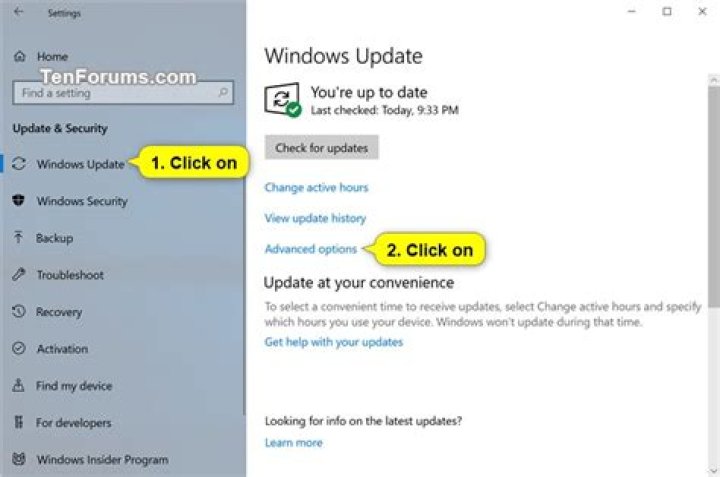
Windows 10 version 1909 has these advanced settings:
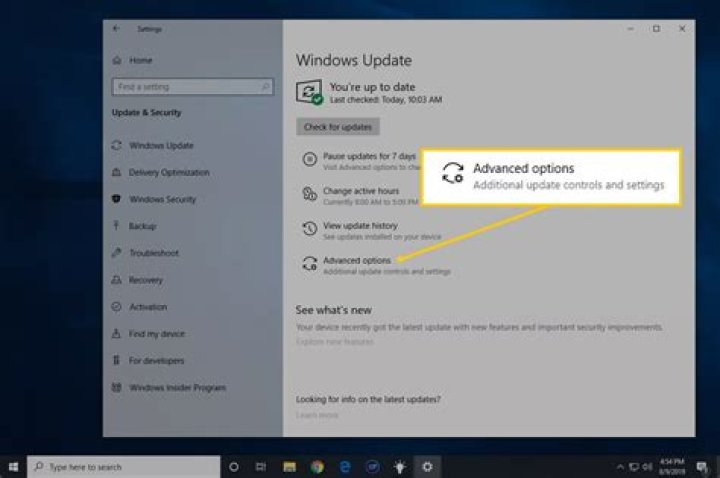
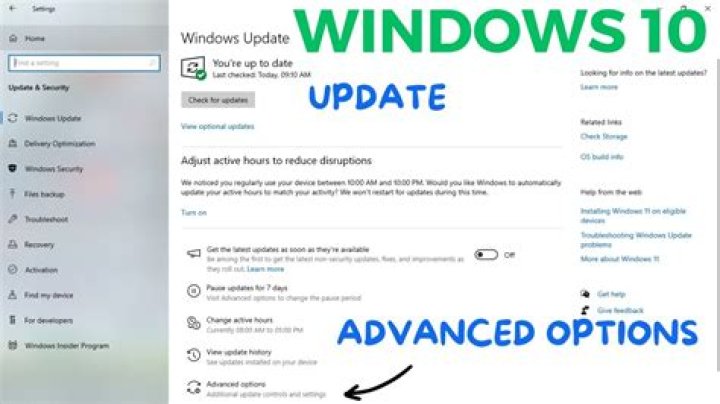
Disabling the update notifications kept the unobtrusive notification area icon but got rid of the annoying popups.