From FileZilla, I can successfully connect to my webserver but attempting to upload any file to any location fails. Here is the log of that process:
Status: Resolving address of mythofechelon.co.uk Status: Connecting to 212.48.67.44:21... Status: Connection established, waiting for welcome message... Response: 220---------- Welcome to Pure-FTPd [privsep] [TLS] ---------- Response: 220-You are user number 1 of 50 allowed. Response: 220-Local time is now 13:14. Server port: 21. Response: 220-IPv6 connections are also welcome on this server. Response: 220 You will be disconnected after 15 minutes of inactivity. Command: USER ben Response: 331 User ben OK. Password required Command: PASS ********** Response: 230 OK. Current restricted directory is / Command: SYST Response: 215 UNIX Type: L8 Command: FEAT Response: 211-Extensions supported: Response: EPRT Response: IDLE Response: MDTM Response: SIZE Response: MFMT Response: REST STREAM Response: MLST type*;size*;sizd*;modify*;UNIX.mode*;UNIX.uid*;UNIX.gid*;unique*; Response: MLSD Response: AUTH TLS Response: PBSZ Response: PROT Response: ESTA Response: PASV Response: EPSV Response: SPSV Response: ESTP Response: 211 End. Status: Server does not support non-ASCII characters. Status: Connected Status: Retrieving directory listing... Command: PWD Response: 257 "/" is your current location Command: TYPE I Response: 200 TYPE is now 8-bit binary Command: PASV Response: 227 Entering Passive Mode (212,48,67,44,171,207) Command: MLSD Response: 150 Accepted data connection Response: 226-Options: -a -l Response: 226 32 matches total Status: Directory listing successful Status: Retrieving directory listing... Command: CWD public_html Response: 250 OK. Current directory is /public_html Command: PWD Response: 257 "/public_html" is your current location Command: PASV Response: 227 Entering Passive Mode (212,48,67,44,54,40) Command: MLSD Response: 150 Accepted data connection Response: 226-Options: -a -l Response: 226 9 matches total Status: Directory listing successful Status: Resolving address of mythofechelon.co.uk Status: Connecting to 212.48.67.44:21... Status: Connection established, waiting for welcome message... Response: 220---------- Welcome to Pure-FTPd [privsep] [TLS] ---------- Response: 220-You are user number 2 of 50 allowed. Response: 220-Local time is now 13:14. Server port: 21. Response: 220-IPv6 connections are also welcome on this server. Response: 220 You will be disconnected after 15 minutes of inactivity. Command: USER ben Response: 331 User ben OK. Password required Command: PASS ********** Response: 530 Login authentication failed Error: Critical error Error: Could not connect to server Status: Delaying connection for 5 seconds due to previously failed connection attempt... Original diagnostic results:
- The same issue occurs using a fresh install of FileZilla 3.7.3 (the latest version)
- The same issue occurs on multiple PCs
- The same issue has occurred on multiple sites and, therefore, different internal networks
- I can successfully upload via cPanel's File Manager
Edit:
New diagnostic results:
- Changing FileZilla's transfer type to
Auto,ASCII, orBinarydoesn't make a difference - After the file transfer fails, disconnecting from the server and attempting to reconnect also fails. Quitting and re-launching FileZilla allows me to reconnect again
- The same issue occurs on a freshly-installed Windows 7 x64 VM with a bridged network, no security software, and default Windows firewall rules
- Using WinSCP (as suggested by Ryan) with the same credentials works
3 Answers
It appears your FTP account is limited to a single concurrent session. By default, FileZilla tries to transfer files in a separate FTP session so you can keep browsing in the primary session.
There are two possible fixes:
- Contact the FTP server operator and have them remove this ridiculous limit
- Set FileZilla to use only one connection:
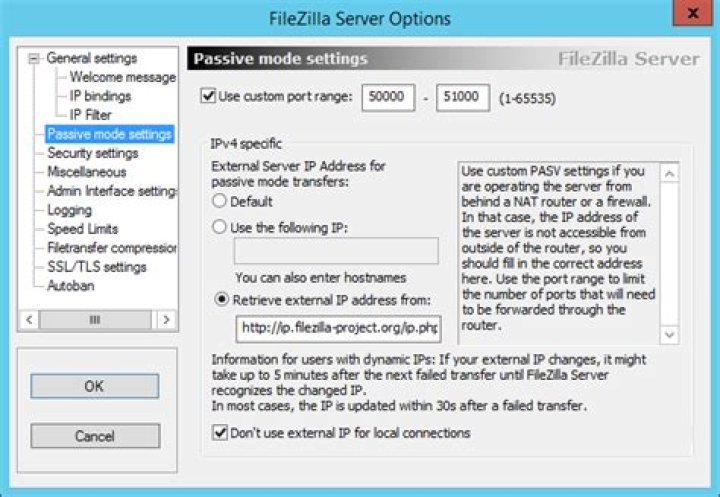 It will then perform transfers in the primary connection.
I faced the same problem, I solved this by clearing the Private Data:
Go into Edit --> Clear Private Data and check Quickconnect history, Reconnect information, Transfer queue. Then click OK.
I just had the same issue backing up my hosting server to my local hard drive. I went to bed with Filezilla running, and when I woke up it was still connected, but not transferring.
I don't know why this worked, but it did.
After tweaking a few things (not really knowing what I was doing), I clicked on "Toggles processing of the transfer que". This button on my version was directly underneath the menu item, "Server". As soon as I clicked on that button, everything started working again.
Hope this helps somebody.
5