I'm trying to connect a floppy drive from an old computer into a newer (but still 'old') computer. I've come across a problem in that the 34 pin cable I have has 1 pin missing which is second pin from the end of the connector, however, on the motherboard the 'missing' pin is the 3rd one from one end. As a result the connector won't connect to the motherboard connector socket since on the connector there is no 'hole' just plastic. Can anyone explain why this is and if there is a workaround please. Thanks
12 Answers
It seems like you have the cable backwards. The side with the missing pin 2nd from the edge goes to the floppy drive, and the other end of the 34-pin ribbon cable should have a missing pin 3rd from the edge, which should match up with your motherboard:
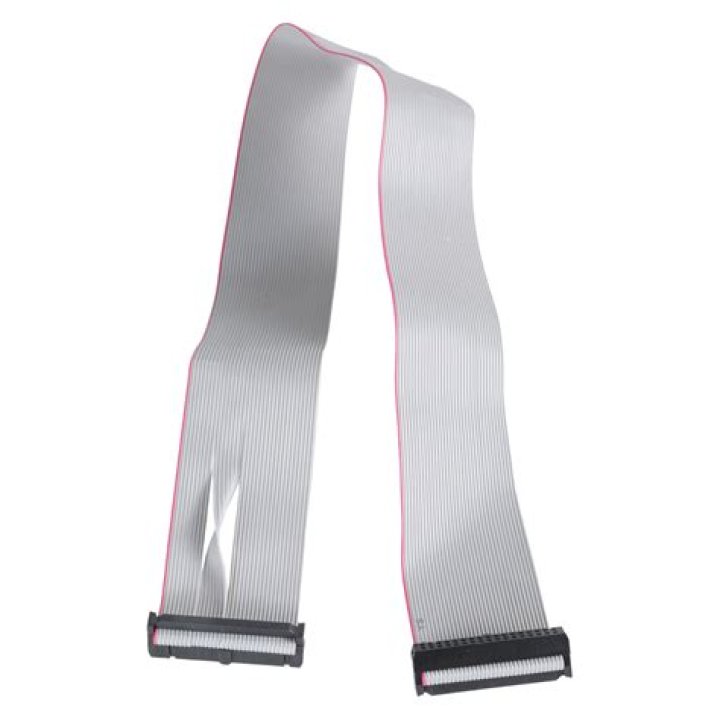
These are done like this to make sure that people connect the cable correctly, since otherwise it would be very difficult to tell which end goes to the drive / motherboard.
5A bit late for the poor guy asking the question, but perhaps this will help others who stumble across this article. After checking pinouts for FDD headers, it seems that pins 3 & 5 (the keyed pins in question) are both VCC. Therefore, I just drilled out the blocked pin hole in the plastic socket on the motherboard end (opposite to the crossover end) and plugged in for a test. All works peachy!!




