I'm trying to install a solid state drive into a laptop computer that has a side slot for a 2.5 inch PATA hard drive. Ordinarily, the hard drive would go into a caddy which would align the pins and make sure they're all in the right slots; this would then be inserted into the slot.
I'd like to use an SSD inside this slot. I've purchased an adapter that allows me to use an M.2 SATA SSD in a 2.5" PATA drive. The adapter's lateral dimensions are nearly identical to a standard 2.5 inch drive (slightly shorter), and it comes with an optional cover to make its dimensions (including thickness) identical.
At first, I tried putting the cover on and putting the drive assembly into the caddy and inserting that, but it won't insert all the way. I then tried removing the cover and inserting it without it (just the adapter in the caddy), but the pins wouldn't insert into the sockets on the computer (the adapter slides around in the caddy, and it goes in all the way into the machine but it's clear that the pins haven't inserted at all).
I decided to forgo the caddy and simply insert the drive directly into the slot (and removing the slot cover from the caddy and screwing that directly in order to cover the slot). However, due to the nature of the slot, I can never tell whether or not the drive is properly connected into the sockets. Every time I tried starting up the laptop with the SSD adapter in, it wouldn't recognize the drive. I've made multiple attempts to ensure that all the pins are going into the correct sockets.
(As a test, I tried inserting the original hard drive into the slot without the caddy, and it recognized it just fine. I also placed the SSD adapter into a different computer with a typical open bottom bay and it recognized it just fine.)
How can I place this drive into the slot, and have it recognized by my computer? I've already tried removing the top cover so I can more easily see inside the bay, but I ran into another issue with that (the cover keeps snagging on the back USB ports when I try to pull it off after removing all the screws). (The computer is an HP Pavilion zt1170, I know it's very old, but I'm using it for retrocomputing.)
Here's a picture of the side slot:
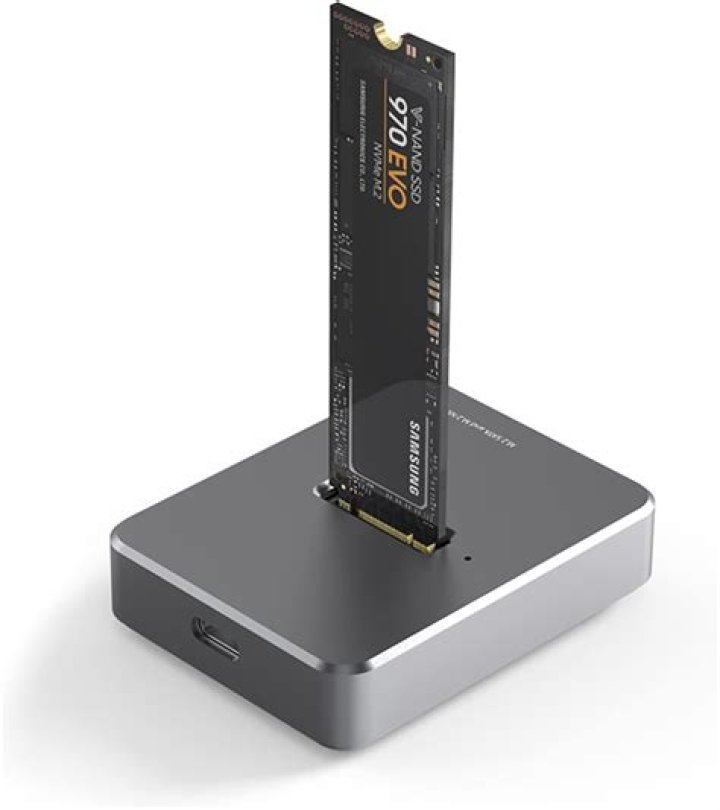
And here's a picture of the SSD adapter:
Update: I tried starting the computer after putting in the SSD adapter, in a position which I believe is the correct one. However, now the laptop refuses to power on: the power light briefly flashes on, and then it shuts off. (The laptop's battery is dead, so it can only be powered by an external power supply.) When the original hard drive or no drive is inserted, on the other hand, it powers on fine.
Am I not seating the adapter in there correctly, or is there some other issue?
3 Reset to default



