For example, I'll have Excel calculate a value based on two other cells, and then have it displayed in another. This is working fine, but how would I limit the number of decimal places it shows?
4 Answers
Select the output cell, right click and select "Format Cells..."
Select the "Number" tab and then "Number" in the list.
Set the "Decimal places" value to the desired value.

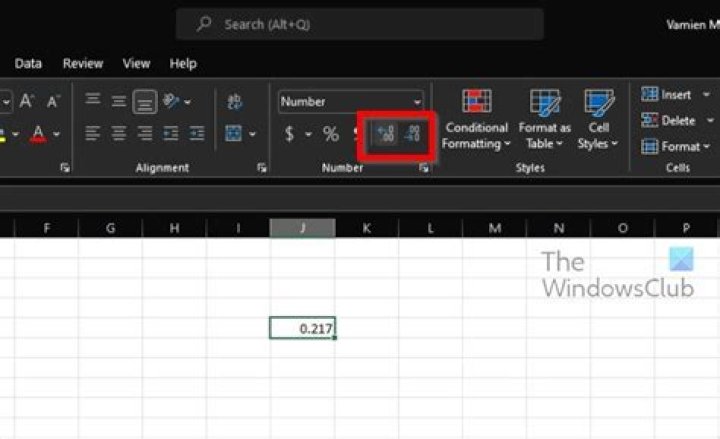
There should be two buttons on toolbar to increase and decrease number of decimal places displayed:
Another option would be to use the round function.
=Round(1234.5678, 2) would yield 1234.56 =Round(1234.5678, 0) would yield 1234 =Round(1234.5678, -2) would yield 1200 Wrap this around your other calculation and you can control not only how it displays, but the accuracy of the number if it is used by another function later on. This becomes important when trying to use Excel to manage money where the number of decimal places is fixed and calculations should all be to that same level of precision.
Use the round function:
=ROUND(AVERAGE(B2:B13),2)