I've been using a PC that I built here and it has been running very well for me for several years. However, a few months back I started to have issues where I find myself running out of RAM. After looking into the issue myself a bit, I've pretty much confirmed that the issue is not with my RAM itself, as I had no errors running RAMtest on it, and it's not with virtual RAM either, as I recently deleted a bunch of files just in case that were the case and in trying to fix it ended up turning off all virtual RAM paging, which caused programs to crash (since reverted, not an issue).
Ultimately, the problem boils down to this; something in the way my computer is working now is causing it to only ever use up to about 4 or 5 GB of RAM. This is a problem when I'm running multiple programs and/or running RAM-intensive games on my machine. How can I ensure that my computer isn't arbitrarily stopping far short of the actual installed RAM?

Here's my Task Manager and System Information showing less than 2GB used at 38% (the RAM used by programs lower in the list drops off really fast), and 14.2GB total physical memory with only 8.52GB available. I took this screenshot just after restarting my computer, without running any other programs (manually).
In case it's relevant to solving this, my OS is Microsoft Windows 10 Education 64 bit, motherboard is MSI Z170A TOMAHAWK AC (MS-7970), and processor is Intel(R) Core(TM) i7-6700K CPU @ 4.00GHz, 4008 Mhz, 4 Core(s), 8 Logical Processor(s)
Edit:  here's the Performance/memory tab as requested in the comments. Once again shortly after a reboot, only my web browser (Vivaldi), task manager, and file browser (directory opus) are open, aside from programs that automatically open on startup.
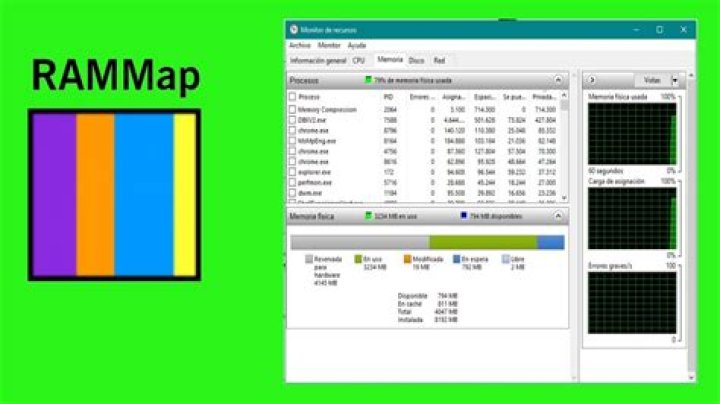 Here's a picture of RAMMap and my task manager, once again just after restarting with only RAMMap, Task Manager and Vivaldi (my browser) running, in addition to programs that open automatically on startup.
1 Answer
here is the link to the page that ultimately fixed the problem for me. My system is running windows 10 and the article is for windows 7, but that doesn't matter.
All I had to do was run msconfig , go to boot, advanced options, and uncheck the maximum memory box.




