Why do I encounter this error in OBS Studio?
Failed to open NVENC codec: Function not implemented.
More importantly, what can I do to resolve it so that I can record?
This is a new install of OBS Studio 23.0.2 (64 bit) on Windows 7 Professional SP 1. According to Device Manager drivers for both display adapters are up to date (NVIDIA GRID K140Q & VMware SVGA 3D).
After installation I stepped through the auto-configuration wizard and the rest of the OBS Studio Quickstart guide. There are two displays. Per the guide I added one new source, a Display Capture source set to the second (non-primary) display.
After setting up the source and making it visible I can see the second monitor being captured in OBS:
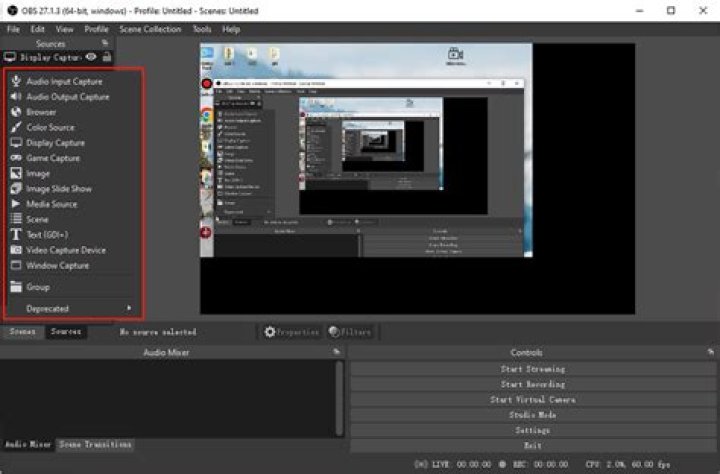
But, when I click on Start Recording I encounter this dialog:

Here are the settings and full error message from the log:
12:41:26.383: [NVENC encoder: 'simple_h264_recording'] settings: 12:41:26.383: rate_control: CQP 12:41:26.383: bitrate: 0 12:41:26.383: cqp: 23 12:41:26.383: keyint: 250 12:41:26.383: preset: hq 12:41:26.383: profile: high 12:41:26.383: width: 1920 12:41:26.383: height: 1080 12:41:26.383: 2-pass: false 12:41:26.383: b-frames: 2 12:41:26.383: GPU: 0 12:41:26.383: 12:41:26.441: [NVENC encoder: 'simple_h264_recording'] Failed to open NVENC codec: Function not implemented 1 Answer
I just had the same issue on Win 7 with my GTX 750 TI.
Turns out my GPU doesn't suport NVENC.
Using software encoder (x264) worked just fine.
2



